Wardrome Technocracy Beta Update — November 17–23, 2026
Since the November 17 beta launch, Wardrome Technocracy has gained a navigable galaxy map, pilotable shuttles and starfighters, and more reasons to spend time with your crew. Missions now take you to the controls when the story calls for flying, fighting or landing. Here’s what changed through November 23. Read the original beta announcement.
New features
Explore the galaxy, survey worlds and build settlements
- The star map now shows the galaxy beyond your immediate neighbourhood. Pick a distant system, plot a route and travel through the stargates along the way. Planets have names even when there’s no mission attached to them.
- Scan planets from orbit to identify their class, conditions and suitability for a landing. On eligible worlds, take an away team down independently of a mission. Larger surface areas give you room to explore and reach survey signals on foot.
- Settlement infrastructure now has a purpose on the ground. Use the beacon to establish a settlement, the operations centre to expand it and the depot to load supplies. Research increases how many planets you can govern, and your public title reflects the worlds you actually govern.
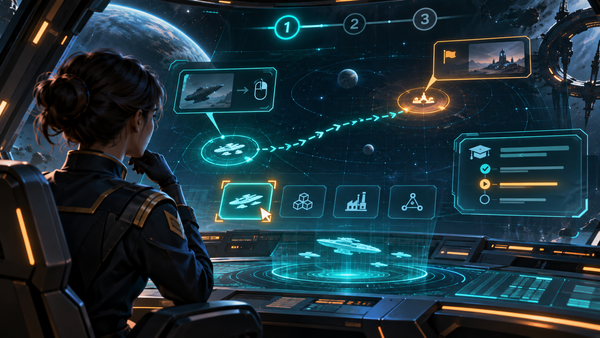
- The Ship Computer has its own entry on the main bar. Its illustrated research tree scrolls from left to right and shows prerequisites, costs and what each discovery unlocks. Start research directly from its card. Early projects take five seconds, the most advanced can take four weeks, and work continues while you’re away. New branches cover industry, governance and fighter upgrades.
Take a fighter or shuttle out of the hangar
- Fly the C01 or C02 in free training whenever you want. Take the landing shuttle down to eligible worlds, including in episodes where the transporter can’t get the team through.
- Four new action reports bring fighter operations, a shuttle landing, martial arts and fencing into the mission roster. Rescue and convoy missions can put you at the helm during the operation, with visible ships and objectives in the sector.
- The heavier attack fighter can lock and launch guided missiles with M or the on-screen control. Fighter and shuttle departures and returns have exterior cinematics, including a forward approach into the hangar.
Find your way around and get to know the crew
- The onboard navigator plots walking routes between rooms and decks through corridors, doors, stairs and lifts. You can also click or tap a walkable point to move the Founder there.
- All eight ships now have more places to spend time off duty, including bars with robot bartenders, game rooms, cabaret, theatres and music venues. Fortuna has the broadest selection, with casino spaces featuring slots, roulette and card tables. There are memory and reflex arcade games, and performances use holographic casts and music from the Wardrome soundtrack.
- Officers and colonists can talk with the Founder outside missions. Friendships and romantic relationships can develop aboard ship or in settlements, and meaningful encounters can appear in the ship’s journal and roleblog. Crew members follow routines through mess halls, promenades and leisure venues. Synthetic crew can join in socially.
- Challenge an officer or a humanoid training opponent in the gym. Martial arts and fencing use direct directional combinations on keyboard or dual touch controls. Direction changes the move, from punches, kicks and sweeps to fencing attacks and defence. Bouts show the contenders’ names, opposing stamina bars, scoring and the outcome.
- Send a bug report from inside the game, with an optional screenshot and diagnostic details.
Gameplay and presentation improvements
- Missions are easier to start and follow. Officers’ reports are prepared in advance, so the mission list can offer Participate directly. Joining opens the selected operation and, when needed, the navigator points you to the right station. Briefings, radio calls and contextual orders identify the next action and show relevant costs before you commit.
- Key moments play out in front of you. Convoys, raiders and rescue ships use distinct hulls. Scans reveal physical targets and routes, and cameras keep the relevant ship, signal or crew member in frame. Alien encounters leave room for a free conversation. Engineering scenes show the signals and equipment you’re dealing with. Debriefs give outcomes room to land, with leads that can carry forward into later episodes.
- Flight is faster and easier to read. Fighters can rotate through 360 degrees, bank harder and leave fading trails. The larger practice area gives you time to acquire contacts. The targeting display shows when a target is in range or off-screen, and shield and hull readouts stay visible. Laser, missile and impact effects are clearer. On mobile, the training view uses icon controls and gives more of the screen to the action.
- Hangars, interiors and planets have more character. Fighters and shuttles have more detailed models at close range. Hangars use full-size bays and yellow taxi markings. Social spaces have fuller furnishings, bars have textured back shelves, and columns and architectural trim have richer materials. Planet surfaces have more distinct skies, weather and terrain dressing. Eden’s observatory is easier to find.
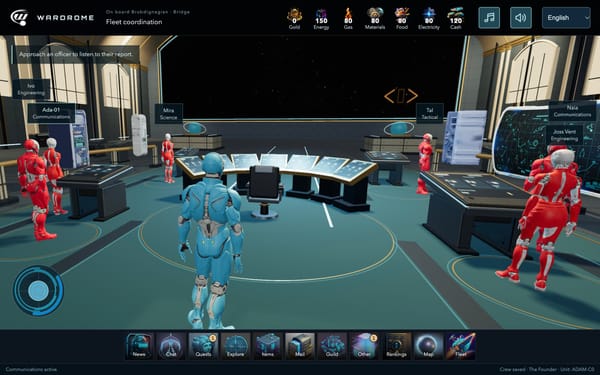
- People are easier to recognise. Biological characters keep distinct faces, skin tones, hairstyles, hair colours and clothing across appearances. Human crew uniforms use duty colours, while unassigned colonists wear grey. The bridge has an officer at the command chair who stands to greet the Founder and yields the seat on request.
- Fleet information is consistent. The bridge and sector use the same resource icons and compact numbers. A full-hold notice points to capacity upgrades where available. The mobile sign-in handoff has a copy button for the pairing code and opens the Wardrome verification step in the external browser.
Bug fixes
- Joining a mission opens the report you picked. The mission log and radio follow the active operation, and arriving by autopilot updates orders that previously still told you to travel through gates.
- Rescuees stay evacuated and can be found in the correct reception area. After the debrief, they move into living areas such as quarters, mess halls and common rooms. Reports reflect where they are and can show a route to a destination they’ve requested.
- Transporter returns show departure and arrival and deliver the team to the ship’s transporter room. Dialogue and debrief cinematics start after arrival. Shuttle rescues use the hangar for reception.
- Door transitions keep the Founder and nearby crew from spawning on top of each other. The navigator no longer covers the gym scoreboard. Disabled ADAM₀ and EVE₀ units from older saves can be repaired in place.
- Training collisions can knock a fighter off course and give you a chance to recover. When a drill ends, the HUD explains why and the exercise can stop without destroying the fighter.
- Localised mission text and saved conversation history use the selected language more consistently. Shorter lines and subtitle timing make speaker changes and handoffs easier to follow. Bug report attachments and issue confirmation links also work more reliably.
Operations
The private operations dashboard now includes mission starts and outcomes, visits by ship and room, combat activity, gym bouts and flight training. Activity totals start when the update begins recording them.
Pick an unexplored system, take a fighter out for a drill or see who’s on the promenade after their shift. Play Wardrome Technocracy.